
Free for Windows, macOS and Linux. Pick your platform and you’re playing in minutes. Updates install themselves.
Downloads open at launch
Native for Windows, macOS and Linux unlocks the second the timer hits zero. Make your account now so you’re ready.
That’s normal for new, independent apps. Windows SmartScreen warns about any installer that isn’t signed with a paid code-signing certificate or hasn’t been downloaded by lots of people yet — it doesn’t mean anything is wrong with the file.
Native is only ever published on this site and our GitHub releases. You can check your file against the SHA-256 checksums below before you run it.
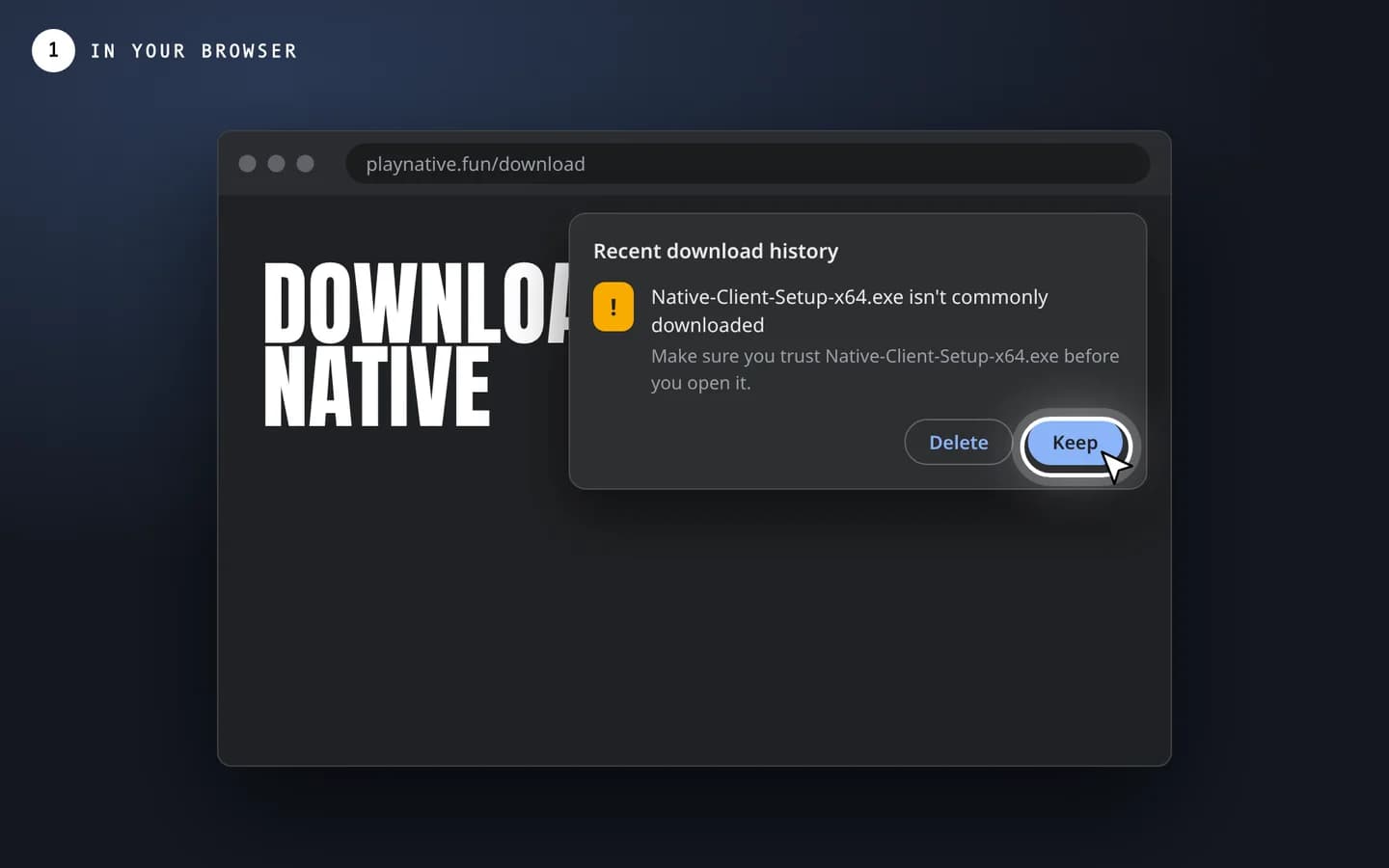
Chrome or Edge may say the installer “isn’t commonly downloaded”. Open the download list and choose Keep (in Edge: ⋯ → Keep → Show more → Keep anyway).
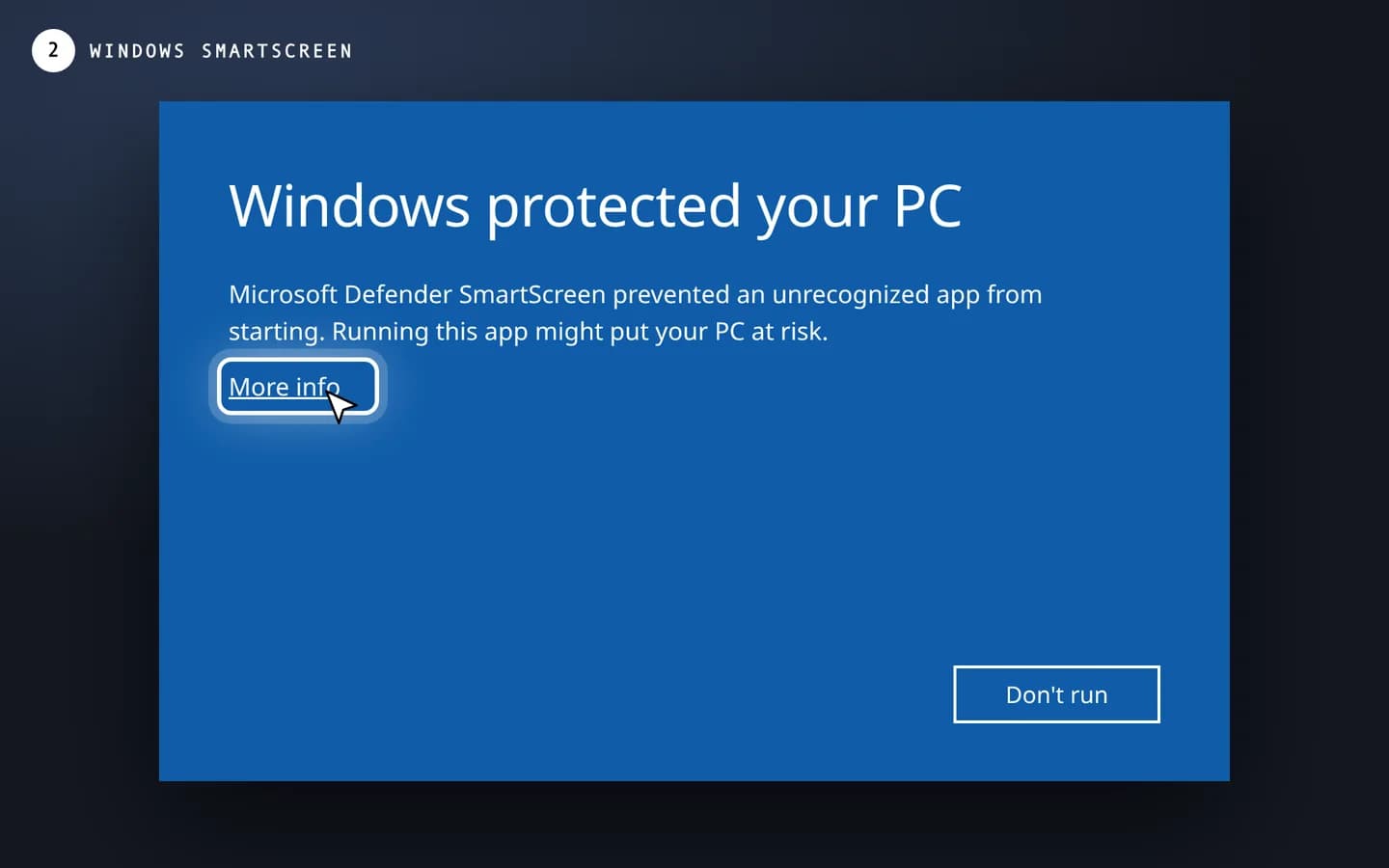
When you open the installer, Windows may show a blue “Windows protected your PC” screen. Click the small More info link under the text.
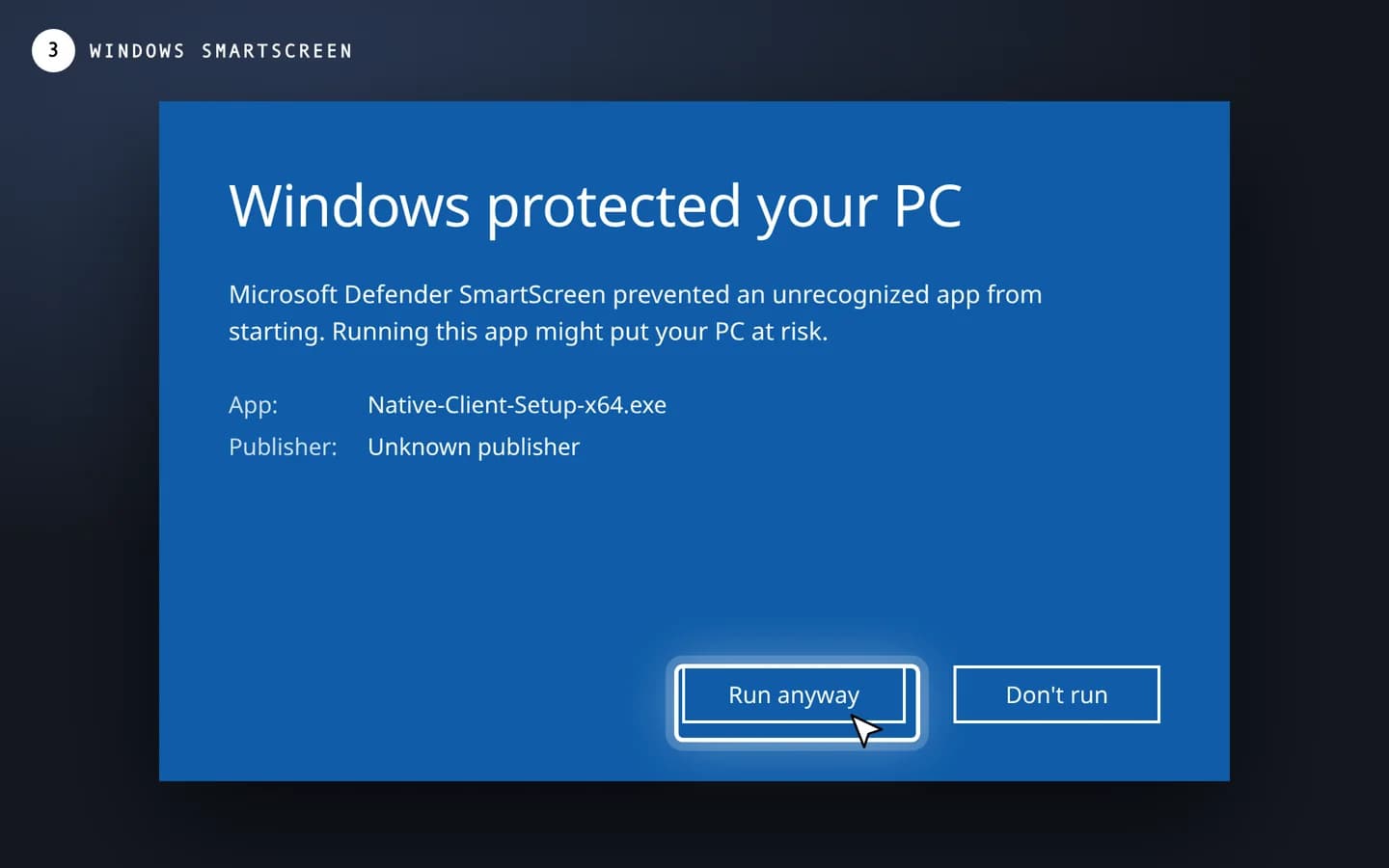
Check that the app name starts with Native-Client, then press Run anyway. The installer starts and Native opens when it’s done.
You only need to do this once. After that, Native updates itself in the background. On macOS, if the app is blocked, right-click Native in Applications and choose Open.
Run one of these and compare the result with the hash for your file. If they match, it’s exactly the file we published.
Windows (PowerShell)
Get-FileHash .\Native-Client-Setup-*.exe -Algorithm SHA256macOS / Linux
shasum -a 256 Native-Client-*9a1dc6d2e5a3dc050a71d05e3fbad28af84cc0234d70372faa5f3450ac96c81c7ecb0d86ea6ad84a516601ebac9e014920c2685a0c80552d174ec74cd5a5acf736fc6bbe75a618eb98b609e391cb4a6b4802703adc0f6b62938994eb939757a9f4a2f8afdb3ba950a0fa517aa0fa6fd691f6d0f0758c4f1b8d47cce2dfe3edc6c99c3c5b1f6d66ab23c88c3c43104cd79db7724c3e75100e270f03600e34231b9a54ca22b82868453e8dcad8df92f098aee4ed9ecb997658c767890bdf449c825cc10a4b23650294e2aee8fb02bbb9adb5f7318e475ebab4e79a4ba8bd4dd34b332b2af36be4311cae533ec9ec93d18e5d7d78eef7b0ab216e5a4208de3265c5